Cursive Text Guide: How to Copy, Paste and Use Script Text Anywhere
Cursive text has quietly become one of the most popular ways to make ordinary words feel personal. You see it in Instagram bios, TikTok captions, WhatsApp nicknames, and wedding greetings, where flowing script instantly adds warmth and polish. The best part is that you do not need design skills or special software to use it. With a cursive font generator, you can turn plain words into elegant script in seconds and paste them wherever you like. This guide explains how it works, where it looks best, and how to use it without running into readability or accessibility problems.
What Is Cursive Text and How Does It Work?
Cursive is a style of writing in which letters connect in smooth, continuous strokes, the way people write by hand. In digital form, cursive text is plain text that has been converted into script-style characters so it looks handwritten on screen. Unlike a decorative font that you install on your computer, it is copied and pasted like any ordinary words.
The technology behind it is Unicode, the universal standard that assigns a code to nearly every character used in writing. Unicode includes a set of script-style versions of the Latin alphabet, and a converter simply swaps each letter you type for its look-alike. Because the result is made of real characters, the styling travels with your copy and paste. Any app that displays Unicode will show the same symbols, which is why this works even on platforms that give you no font options at all.
How Script Characters Differ from Ordinary Fonts
People often assume that this style is just another font, but the two work in different ways. A regular font is a file that tells a program how to draw the letters you type. The words stay ordinary letters underneath, and the font can be changed at any time. Script characters, by contrast, change the letters themselves. What you paste are different symbols from the ones on your keyboard.
This distinction explains why the styling can appear in places where fonts cannot be changed, such as a social media bio. It also explains the limits: you cannot resize it independently, the exact appearance can vary slightly by device, and some tools that expect normal letters may not understand it. Knowing this helps you decide when it is the right choice and when plain letters are safer.
Four Quick Steps to Copy and Paste Script Text
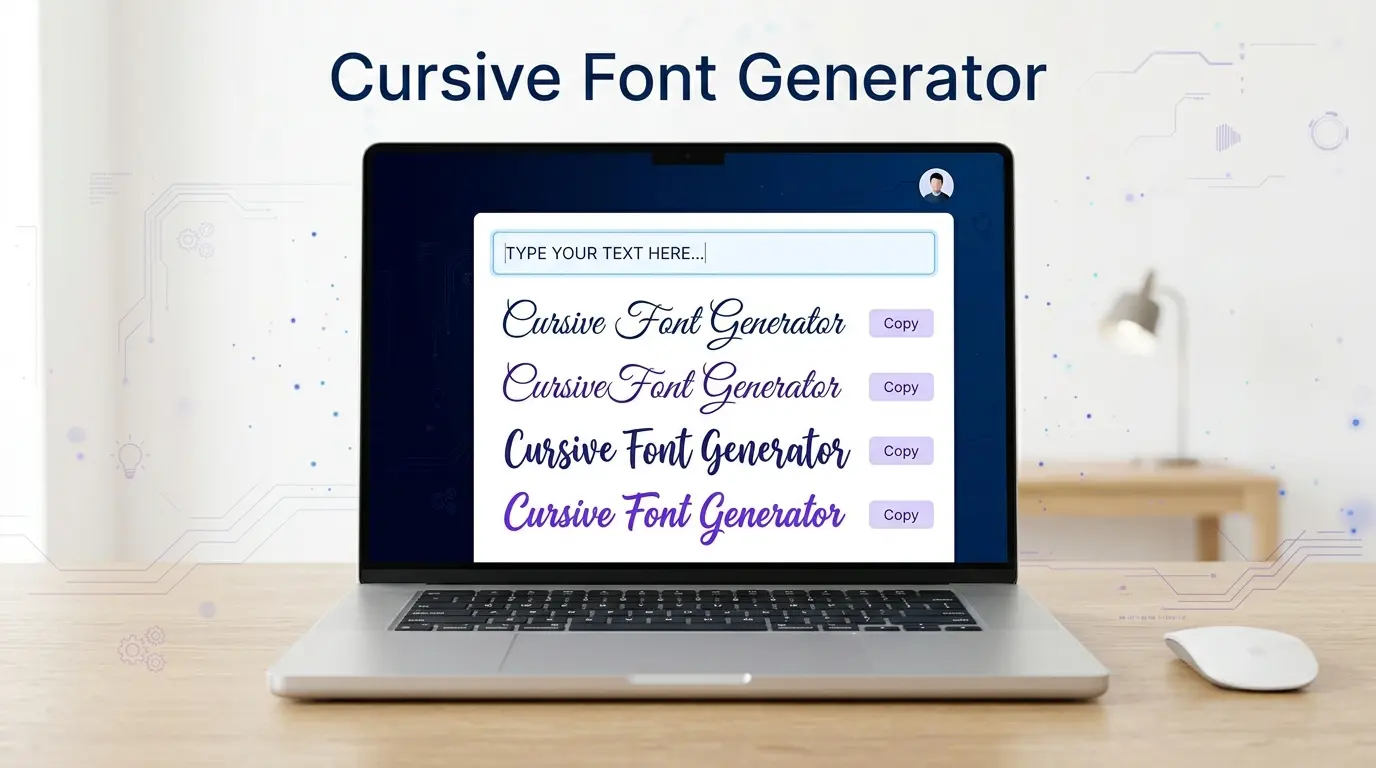
Using a converter takes less than a minute, and the process is the same on phones, tablets, and computers.
- Type or paste your words into the input box.
- Browse the previews and compare the different script looks.
- Tap or click the copy button next to the one you like.
- Paste it into your bio, caption, chat, or document.
After pasting, take a moment to check the result in its final location. A delicate style that looks graceful in the preview can appear faint on a small phone screen, and a quick look prevents unpleasant surprises after you publish.
Popular Script Styles and Their Moods
Not all script looks are the same, and the style you choose shapes the mood of your words.
Thin and Elegant Script
Fine strokes and graceful loops give this style a refined, formal feel. It suits names, greetings, and short phrases for special occasions. Because the lines are light, it is best kept to a few words rather than long sentences.
Thick and Bold Script
This style keeps the connected look but uses heavier strokes, so it remains readable on small screens and busy backgrounds. It is a dependable choice for usernames, headings, and captions that need to stay clear.
Pen-and-Ink Lettering
Inspired by traditional calligraphy, these styles show contrast between thick and thin strokes. They feel artistic and work well for quotes, monograms, and decorative posts.
Casual Handwriting
Looser, more informal looks come across as friendly and personal. They are a natural fit for thank-you notes, birthday wishes, and relaxed messages to friends.
Best Places to Use Script Lettering
Script lettering works best when it adds personality rather than carrying critical information. These are the places where it shines.
Social Media Bios and Profiles
Most social platforms do not let you change fonts, so script lettering is one of the few ways to make a bio look distinctive. A single line, such as your name or a short tagline, helps your profile stand out from the plain words around it.
Chat Nicknames and Gaming Handles
Messaging apps and gaming communities often accept Unicode characters in display names. A script nickname can make you easier to spot in a busy group. It is wise to test the name first, since some platforms filter or limit special characters.
Captions, Comments, and Status Lines
One styled phrase in a caption or status update adds emphasis without overwhelming the reader. It is a quick way to give an everyday post a bit of character.
Greetings and Personal Messages
Birthday wishes, anniversary notes, and wedding wording feel warmer in a handwritten look, even though they are typed. It is a small detail, but it changes the tone of a message and shows extra thought.
Why People Love This Style
The main appeal is speed. A complete transformation takes seconds, and there is nothing to install, so it works the same on every device. Most people also appreciate that basic conversion needs no registration or payment. Another advantage is reusability: because the output is plain characters, you can paste the same styled line into as many places as you like. For small, everyday touches of style, that combination of convenience and flexibility is hard to beat.
Readability and Accessibility Concerns
This style has real drawbacks that are worth understanding before you rely on it.
The biggest issue is accessibility. Screen readers frequently read Unicode script characters by their technical names or skip them altogether, so a person using assistive technology may not understand your message. For that reason, avoid using it for essential information such as prices, dates, addresses, or instructions.
There are technical limits as well. Older devices or apps may show empty boxes in place of rare symbols. Numbers and punctuation often stay plain because the script set does not include matching versions. A search for a normal word may also fail to find the same word written in script characters. And as with any decorative style, long passages are tiring to read, so short phrases work best.
Tips for Cleaner, More Readable Results
A few simple habits make a big difference to how your words look. Keep script to short phrases and leave longer sentences in plain letters. Preview the result on a phone, since that is where most people will see it. Choose a bolder style when the background is busy or the screen is small. Avoid mixing several script styles in one line, which looks cluttered. Finally, leave some space around styled words so they have room to stand out.
Can Script Characters Hurt Your Search Visibility?
If you plan to use script characters on a website, blog, or public profile, remember that search engines read the underlying characters, not the way they look. A title or keyword written in Unicode script may not be understood as the word you intend, which can reduce how easily people find it. The safest approach is to keep important names, headings, and keywords in standard letters and use script only as decoration on top.
Final Thoughts
Cursive text is one of the simplest ways to make short pieces of writing feel more personal and polished. It is free to use, needs no installation, and works anywhere you can paste words. Use it for bios, captions, nicknames, and greetings, keep it brief, and leave anything critical in plain letters. Handled that way, it adds a touch of elegance in seconds without getting in the way of clear communication.
Ready to try it yourself? Use our cursive font generator to turn your words into stylish script and copy them in one click.
Frequently Asked Questions
What is cursive text?
It is plain text converted into script-style characters so it looks handwritten. You can copy and paste it like any other words.
Do I need to install anything to use it?
No. It works in your browser, and the styled result is copied and pasted like normal text.
Will it work on Instagram, WhatsApp, and TikTok?
In most cases yes, because these apps support Unicode characters. Appearance can vary slightly between devices, so check your result after pasting.
Is it free to use?
Basic conversion is typically free and needs no sign-up. (Edit this answer if your site has any paid features.)
Why do some numbers or letters look plain?
The Unicode script set does not include matching digits, and a few letters come from a different character block that some devices draw differently. This is normal and can make results look slightly inconsistent.
Is script lettering a good choice for important information?
No. Screen readers and search tools can misread these characters, so keep essential details in standard letters and use script only for decoration.